

HTTP API tools allow you to attach external REST API calls directly to workflow nodes, enabling your voice agents to call any internal or external system during live conversations based on LLM judgment and your prompts. This works similar to function calling on any agentic platform and is fully customizable.Documentation Index
Fetch the complete documentation index at: https://docs.asisso.com/llms.txt
Use this file to discover all available pages before exploring further.
Video Tutorial
What is an HTTP API Tool?
An HTTP API Tool is a REST API definition that the LLM can invoke at runtime. Typical use cases:- Call your own backend endpoints
- Trigger n8n automations
- Sync data with a CRM
- Fetch data from external APIs (weather, pricing, availability, etc.)
- Write/update/read data using Rest API
- which tool to call
- when to call it
- what parameters to send
- Your prompts: node-level instructions in simple english (or any language)
- Tool name
- Tool description
- Parameter definitions
Defining an HTTP API Tool
1. Tool Name
- Must be clear and action-oriented.
-
Examples:
capture_lead_interest,fetch_weather, ‘create_crm_contact’, etc
2. Tool Description
- Extremely important
- This is how the LLM decides when to use the tool.
- Write it in plain, explicit English.
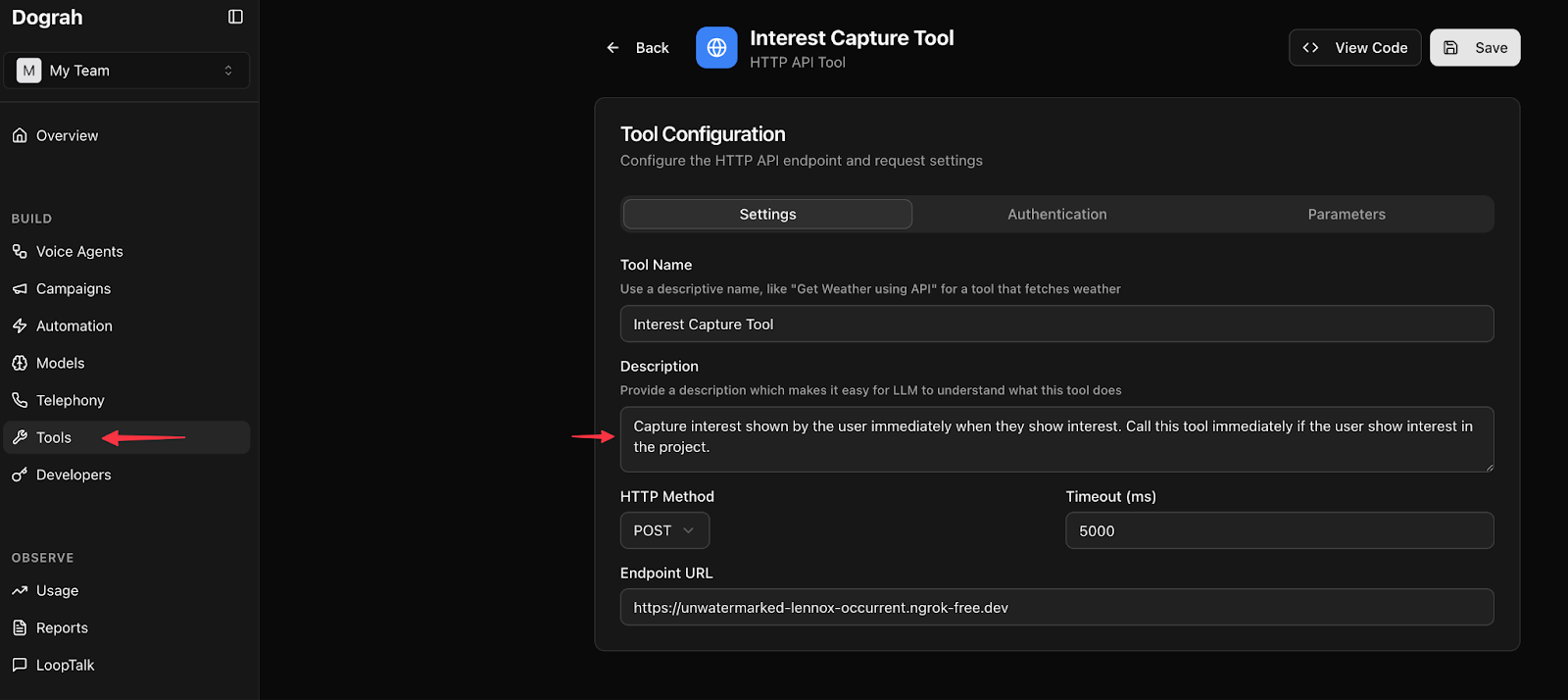
3. Endpoint Configuration
- Full URL (must include
http://orhttps://) - Supports REST methods
Common mistake: forgetting https:// in the URL.
4. Authentication & Headers
- Add custom authentication
- Add custom headers
- Works with internal services and third-party APIs
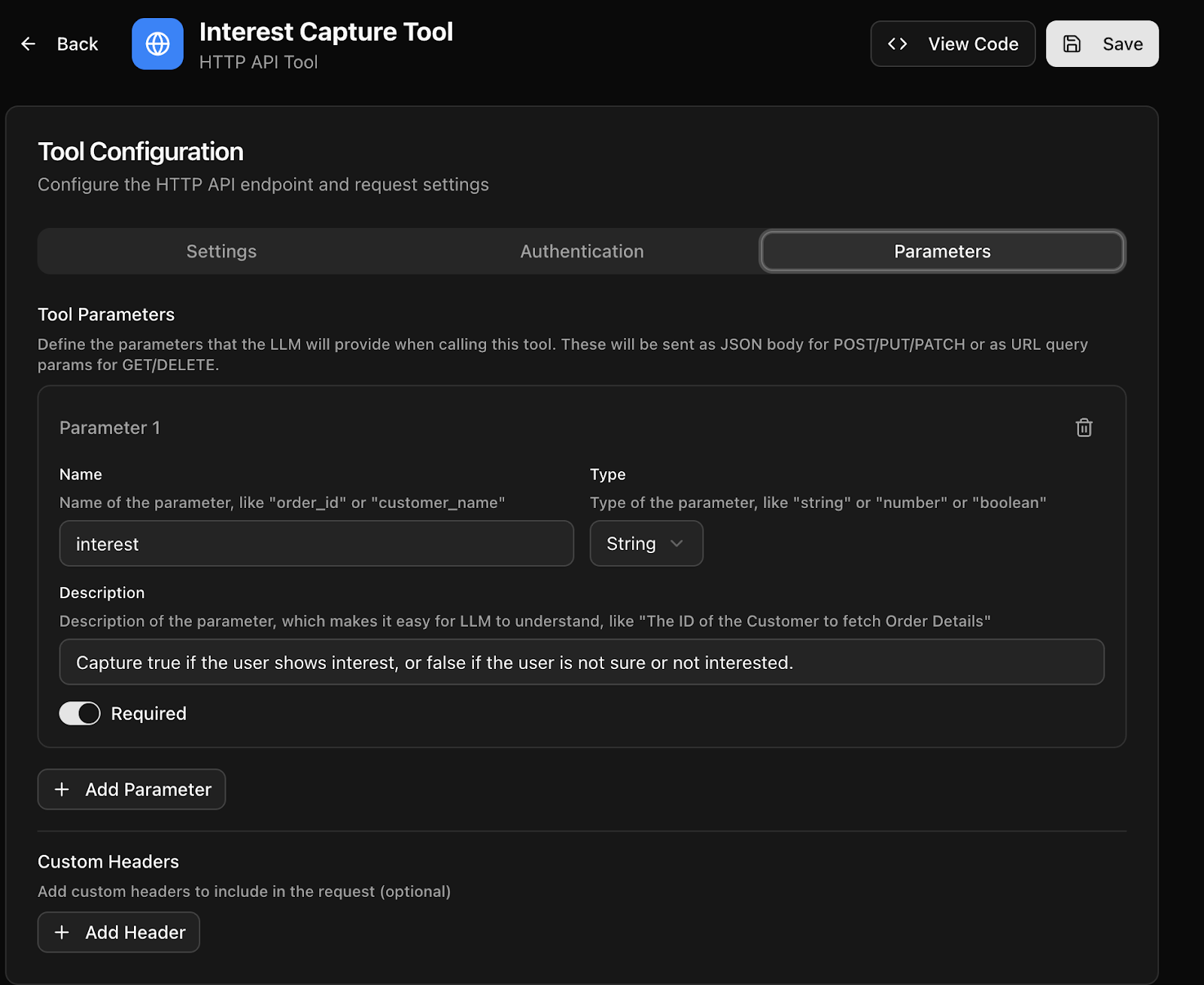
5. Parameters
Each parameter must have:- Name
- Type
- Description
- Required/Optional flag
- Start with string parameters when possible
- Be explicit in what the value represents
- Mark only truly mandatory fields as required
- interest (string): “Set to true if the user clearly shows intent to buy or wants follow-up. Otherwise false.”
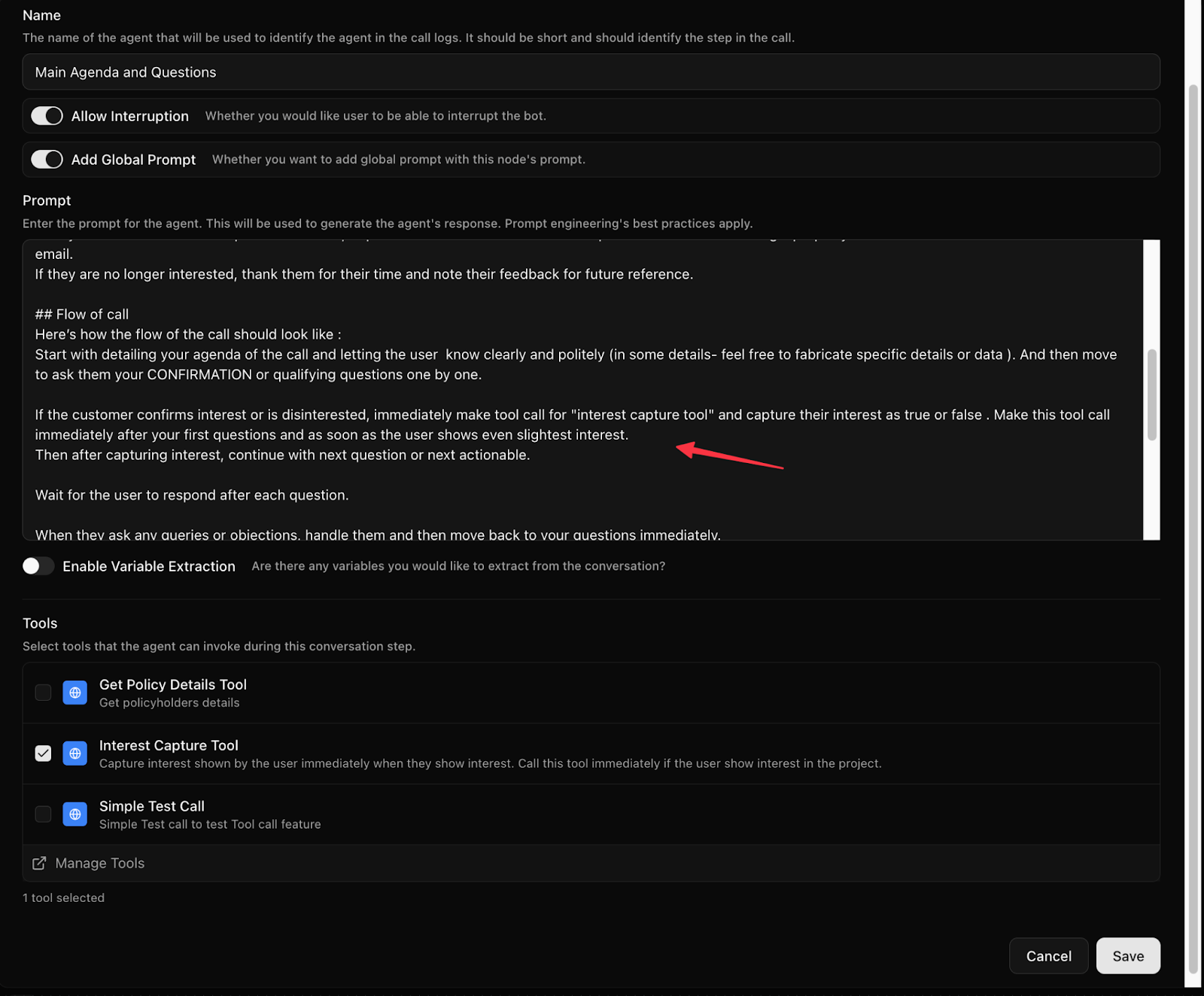
Attaching Tools to Workflow Nodes
- You can attach multiple tools to a single node
- All the tools that you have created will be available for selection in the node
- Tools are only callable when attached to that node
- The LLM will choose which one to call
Tool Invocation Logic (How the LLM Thinks)
The LLM considers:- User’s spoken intent
- Node prompt instructions
- Tool name and description
- Parameter descriptions
- Missed tool calls
- Wrong parameters
- Hallucinated values
Key Best Practices
- Name tools clearly
- Write detailed, action-based descriptions
- Keep parameters simple at first
- Always include http/https in URLs
- Use plain English in node instructions
- Attach only relevant tools to each node